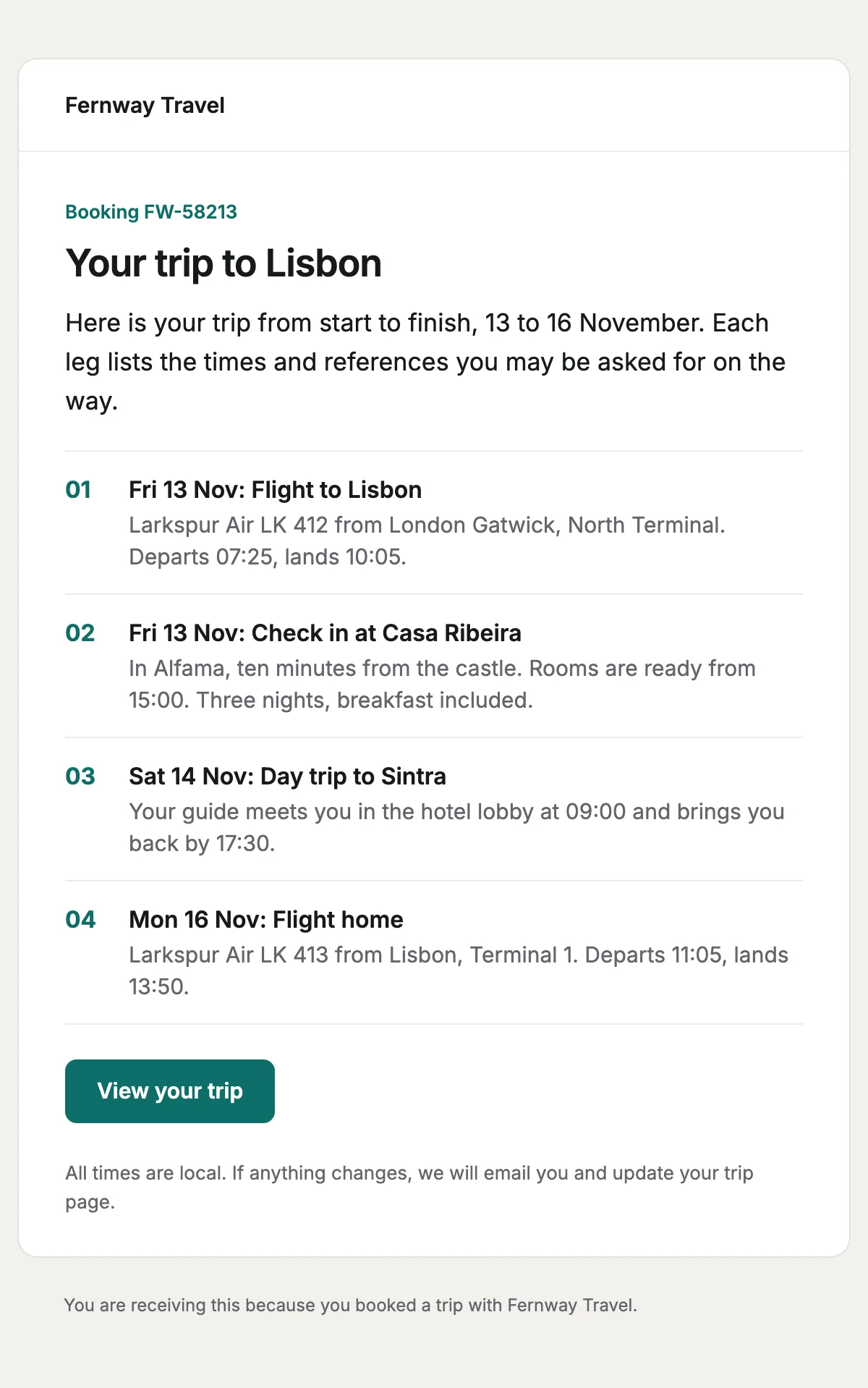
Trip itinerary
Every leg of a trip in date order, with the times and references travellers need.
6 stylesA check-in notice with the booking reference, the flight, the bag allowance and the deadline.
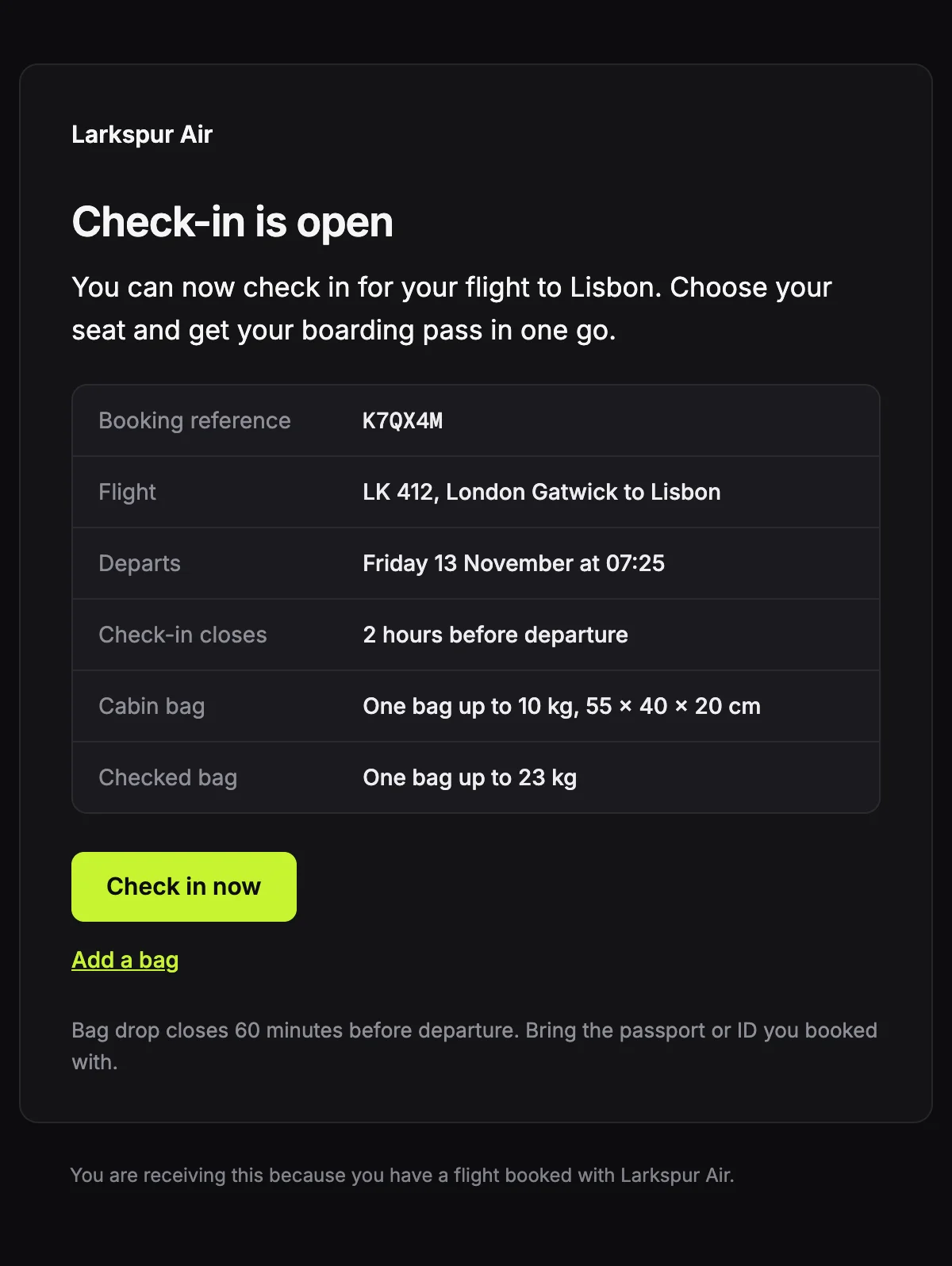
Flight {{flightNumber}} on {{departureDate}}. Online check-in closes {{checkInCloses}}.

{{airlineName}}

Check-in is open

You can now check in for your flight to {{arrivalCity}}. Choose your seat and get your boarding pass in one go.

Booking reference

{{bookingReference}}

Flight

{{flightNumber}}, {{departureCity}} to {{arrivalCity}}

Departs

{{departureDate}} at {{departureTime}}

Check-in closes

{{checkInCloses}}

Cabin bag

{{cabinBag}}

Checked bag

{{checkedBag}}

Check in now [{{checkInUrl}}]

Add a bag [{{manageBookingUrl}}]

Bag drop closes {{bagDropCloses}} before departure. Bring the passport or ID you booked with.

You are receiving this because you have a flight booked with {{airlineName}}.
Shown with sample values. The HTML and plain-text tabs keep the placeholders.
About
Send it when online check-in opens. The booking reference is set in a monospace font so it is easy to read out at the desk, the flight and baggage details sit in the same table, and the button goes straight to check-in.
14 values to fill
Required values have to come with every send. The rest fall back to the default shown here.
| Placeholder | Kind | Required | Default |
|---|---|---|---|
{{airlineName}} | Text | Required | None |
{{bookingReference}} | Text | Required | None |
{{flightNumber}} | Text | Required | None |
{{departureCity}} | Text | Required | None |
{{arrivalCity}} | Text | Required | None |
{{departureDate}} | Text | Required | None |
{{departureTime}} | Text | Required | None |
{{checkInCloses}} | Text | Required | None |
{{cabinBag}} | Text | Required | None |
{{checkedBag}} | Text | Required | None |
{{checkInUrl}} | Link | Required | None |
{{manageBookingUrl}} | Link | Required | None |
{{bagDropCloses}} | Text | Optional | 60 minutes |
{{unsubscribeUrl}} | Link | Optional | None |
API
Create a template from this design once, then send it with the values for each message.
import { init, nextmail } from '@nextmail/sdk' init({ apiKey: process.env.NEXTMAIL_API_KEY }) await nextmail.templates.create({ name: 'Check-in open', slug: 'check-in-open', starter: 'check-in-open', publish: true,}) const sent = await nextmail.templates.send('check-in-open', { from: 'Northwind <[email protected]>', to: '[email protected]', props: { airlineName: 'Larkspur Air', bookingReference: 'K7QX4M', flightNumber: 'LK 412', departureCity: 'London Gatwick', arrivalCity: 'Lisbon', departureDate: 'Friday 13 November', departureTime: '07:25', checkInCloses: '2 hours before departure', cabinBag: 'One bag up to 10 kg, 55 x 40 x 20 cm', checkedBag: 'One bag up to 23 kg', checkInUrl: 'https://example.com/check-in/K7QX4M', manageBookingUrl: 'https://example.com/manage/K7QX4M', },}) console.log(sent.id, sent.status)Travel
Every leg of a trip in date order, with the times and references travellers need.
6 styles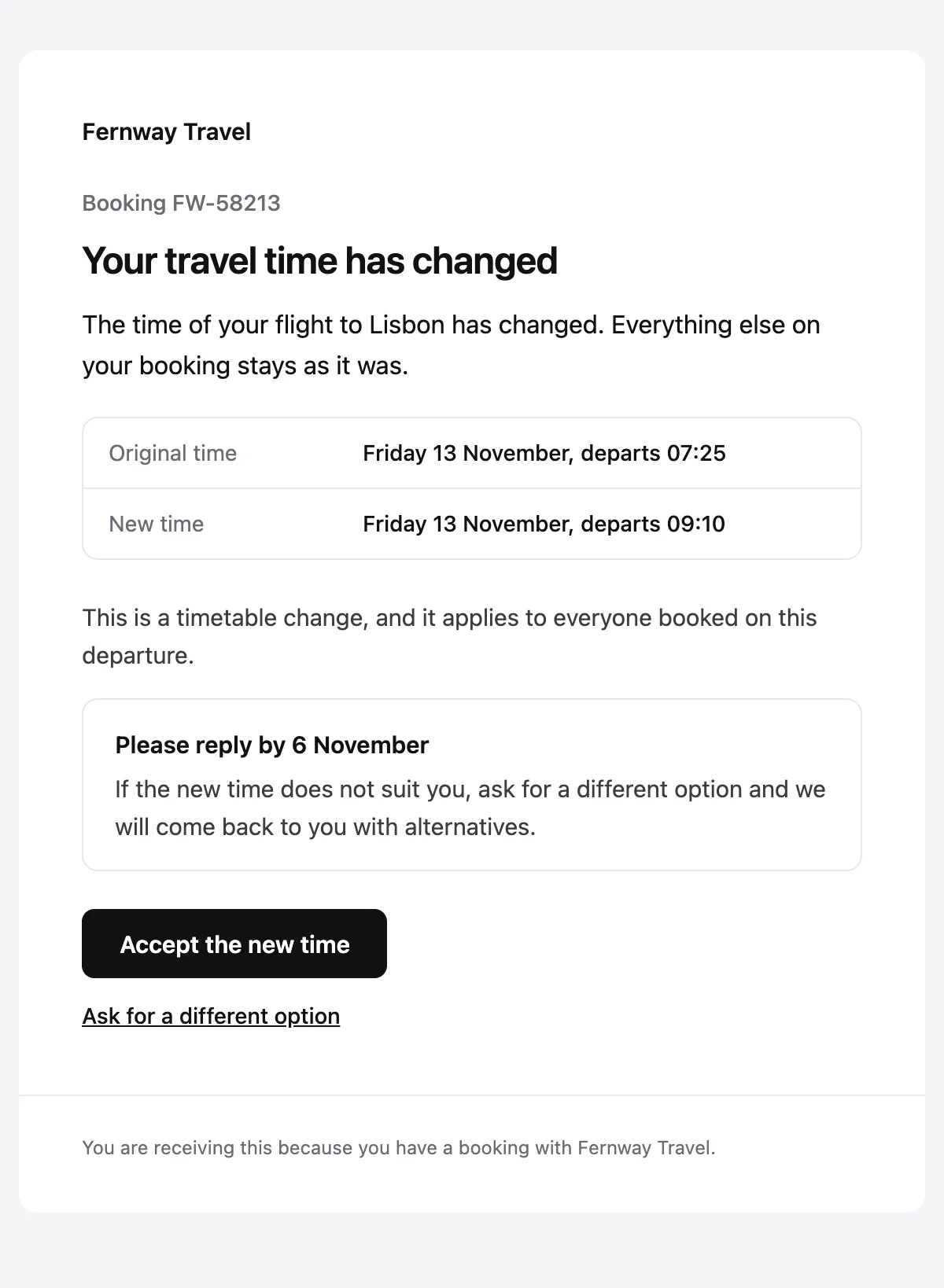
A schedule change with the original and new times, and a choice to accept or change.
6 styles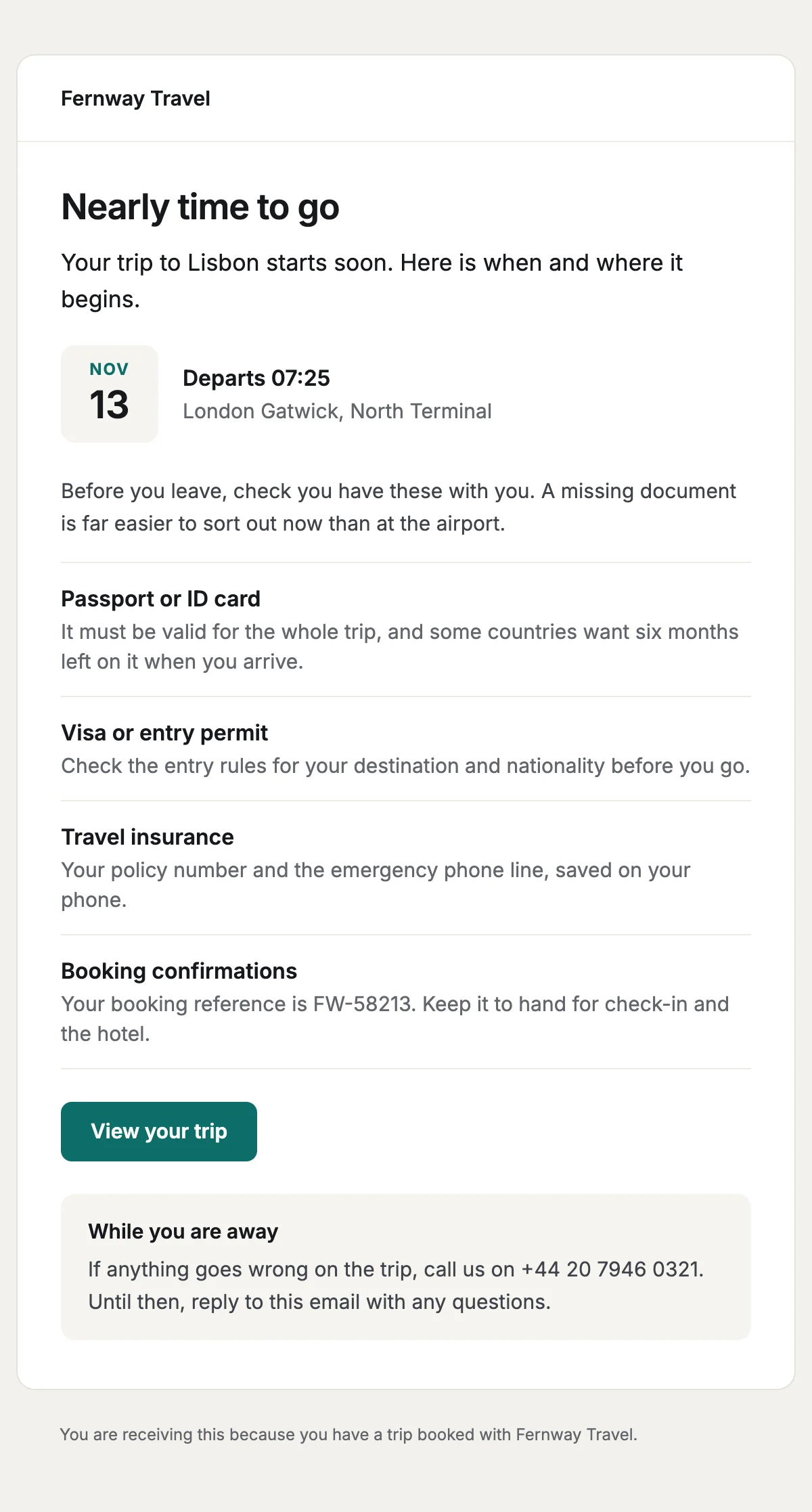
A pre-departure reminder with the departure in a date tile and a documents checklist.
6 styles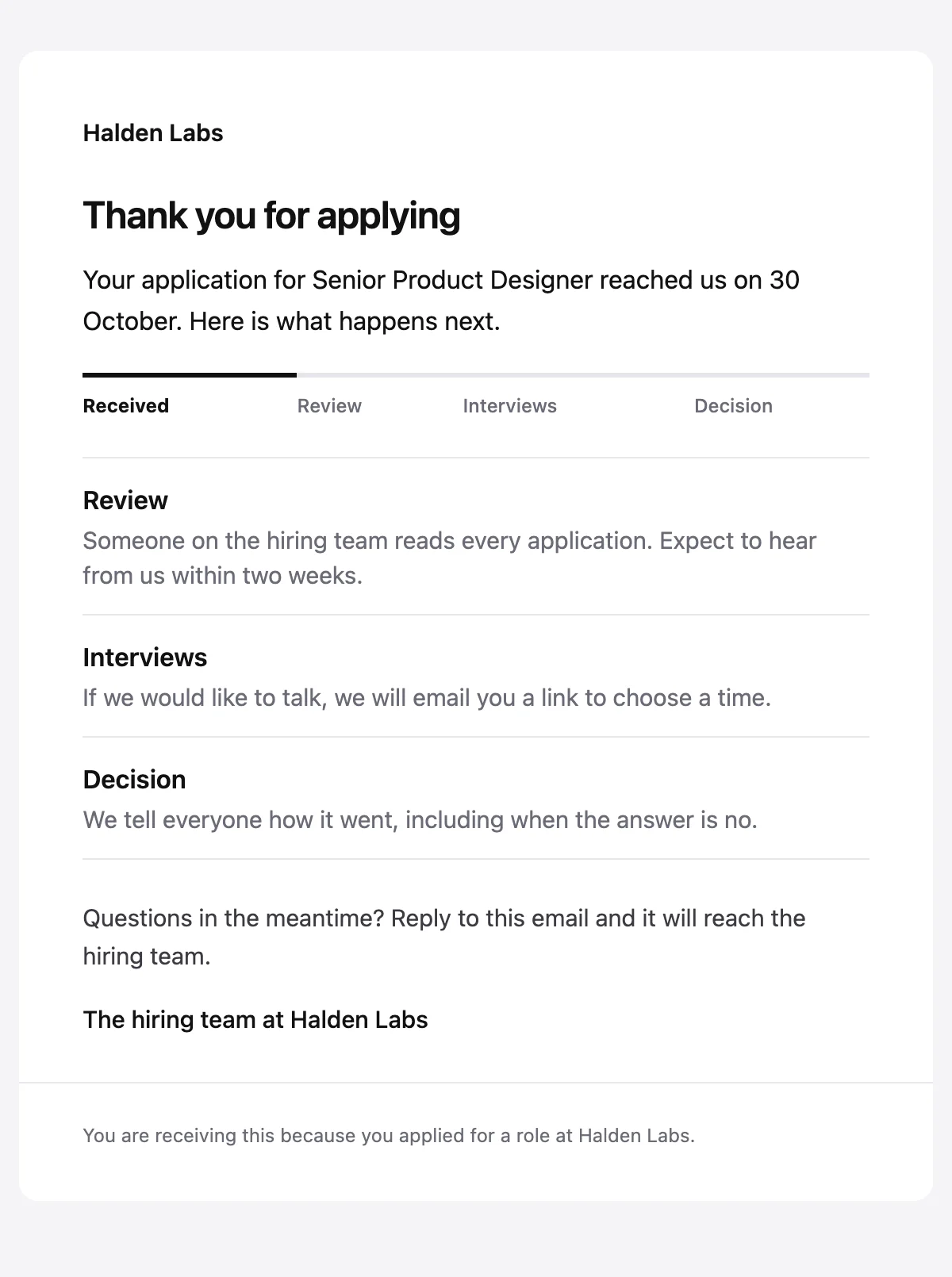
Confirms an application arrived, with a status track and what happens next.
6 stylesStart from one
Every template opens in the editor as blocks you can move, restyle or delete, and sends through the API with the values filled in.
Fifteen minutes on video with the people who build Nextmail. Free, at a time you choose.
 Google Workspace